
To change the number of check-in labels, go to Check-in > Views/Settings and click on the name of the Check-In View you want to edit.
For Parent Security Labels:
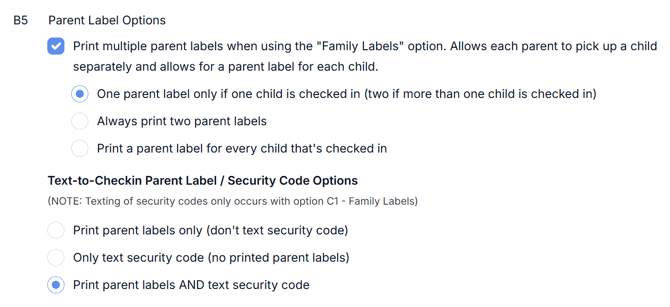
Expand Section "B: Parent Security Label Options" and find option B5. Here you can select to print multiple parent labels, and it will give you different options to choose from depending on your situation (see image).
For Child Security Labels:
If you want to always print a duplicate child label, expand Section "A: Child Security Label Options" and select option A5.