
Use Churchteams to facilitate Member Only or targetted voting by building your ballot in another tool like Google Forms or anything else.
Be sure to include a Member ID, PIN Code (or any other name you choose) box for people to put in their unique number. This will be generated by Churchteams.
Create an email template using the Churchteams email editor to invite people to vote. In that email include a link to the voting ballot (form). In another content section of the email create text that looks something like this (from another church):
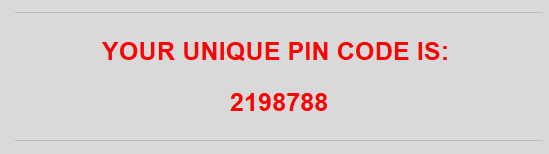
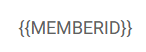
For the unique 7 digit number manually type in the merge tag. It is case sensitive. copy and paste this merge tag (ALL CAPS):
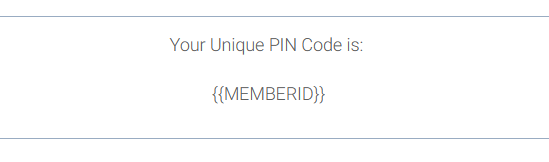
It should look something like this:
Save the email template.
When you are ready to send the email, select the Communicate > Email > Send option and filter to the people you want to vote (perhaps People > Church Member Types > Selected Church Member Types, Members).
On the next page, select the Template you have created. If you haven't created the email yet, you can do that here as well following the instructions above.