
To see if you have this setting turned on, go to Settings > Accessibility and make sure the “Require Member Update Approval” box is checked under the Member App Settings area.
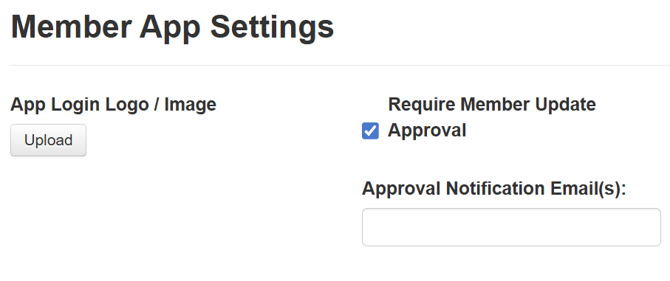
*Please note that the approval requirement is off by default and must be enabled. Otherwise, any member-initiated updates will be posted to the profile immediately.
Having this enabled allows you to approve or deny changes a member makes when updating their Person Profile, either through the App or from an Update personal information link sent in an email. This can help you ensure that data stays clean and allows you to monitor any updates happening outside of your staff.
To see, approve, or deny these updates, go to People > Person > Approve Updates. Here, you can see any pending updates where you can either approve or deny, and you can see a history of any past approved or denied changes.