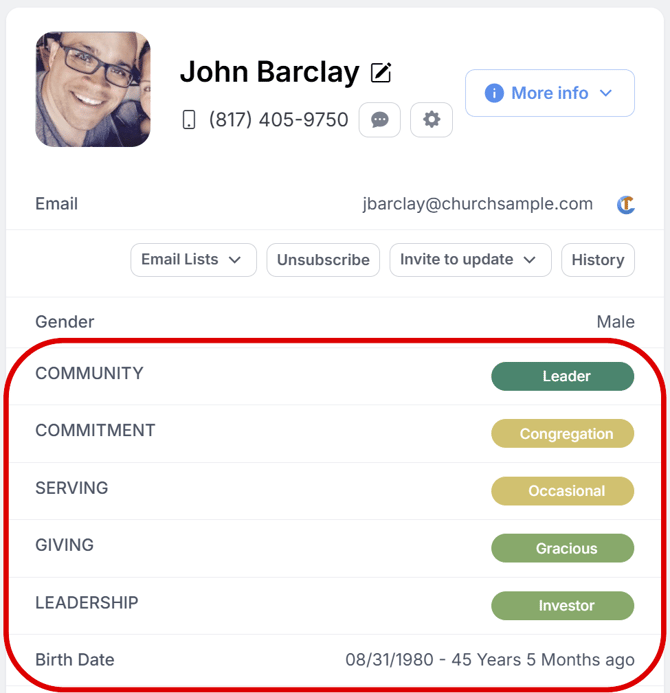
In Churchteams, you are able to create/customize what attributes you track on an individual. All of these attributes are shown when you click on a person’s name on their Person Profile to open up their Person Information Page. You have the ability to “pin” these attributes to where they are visible when you go to the Person’s Profile page, rather than having to click into their Information page.
To “pin” an attribute, go to People > Settings > Pinned Attributes. On this page, you will use the "Available attributes" dropdown to select what attribute you want to be visible.
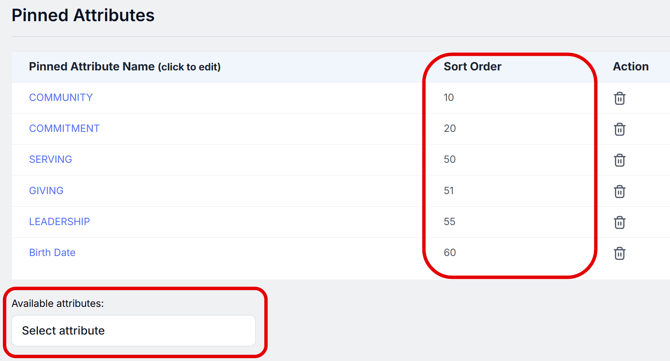
The Sort Order number on this page will determine what order these pinned attributes appear on People Profiles. When you pin an attribute, it will be visible across every Person’s Profile in the database.